
Menu

Connect a mailbox
Google Workspace, Microsoft 365, Zoho or any SMTP/IMAP mailbox.
1 min read 5 steps
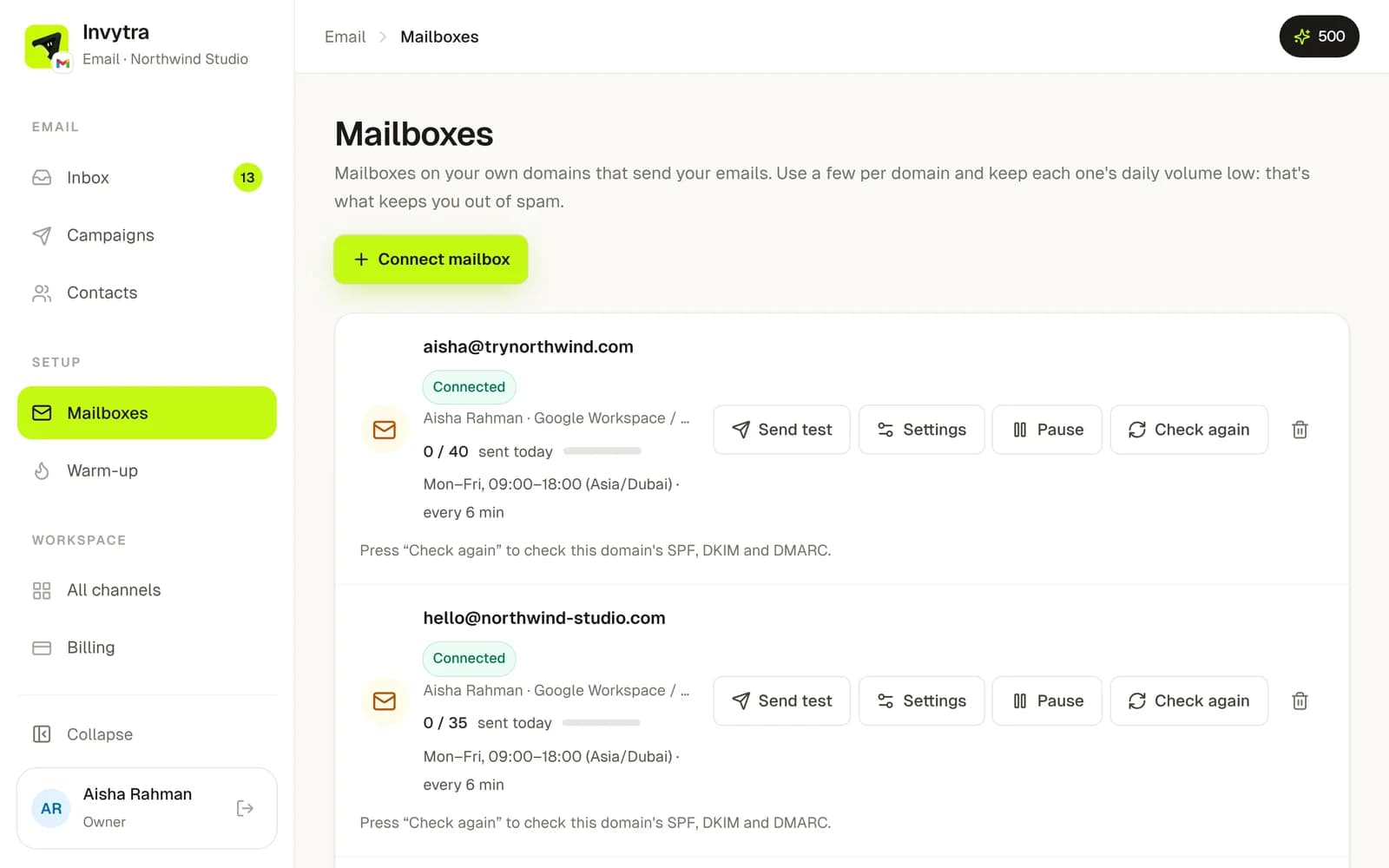
- 1In Email, open Mailboxes → Connect mailbox.
- 2Choose your provider: Google, Microsoft, Zoho or Other.
- 3Enter the email address and its password. For Google and Microsoft use an app password (the form links to where you create one).
- 4Invytra checks it can send and read, then shows the mailbox as Connected.
- 5Check Domain health: SPF, DKIM and DMARC should be green. If not, the page tells you which DNS record to add at your domain provider.
Send cold email from a separate domain (e.g. trynorthwind.com) rather than your main company domain, so your everyday email stays safe.
Each mailbox has its own sending days, hours and a daily cap. Start low (20–30 a day) and raise it slowly. Mailboxes are unlimited on paid plans: spreading sending over more mailboxes keeps each one safe.
Was this page helpful?