
Menu

Connect a LinkedIn account
Log in once in a secure window; Invytra runs the account in the cloud.
1 min read 5 steps
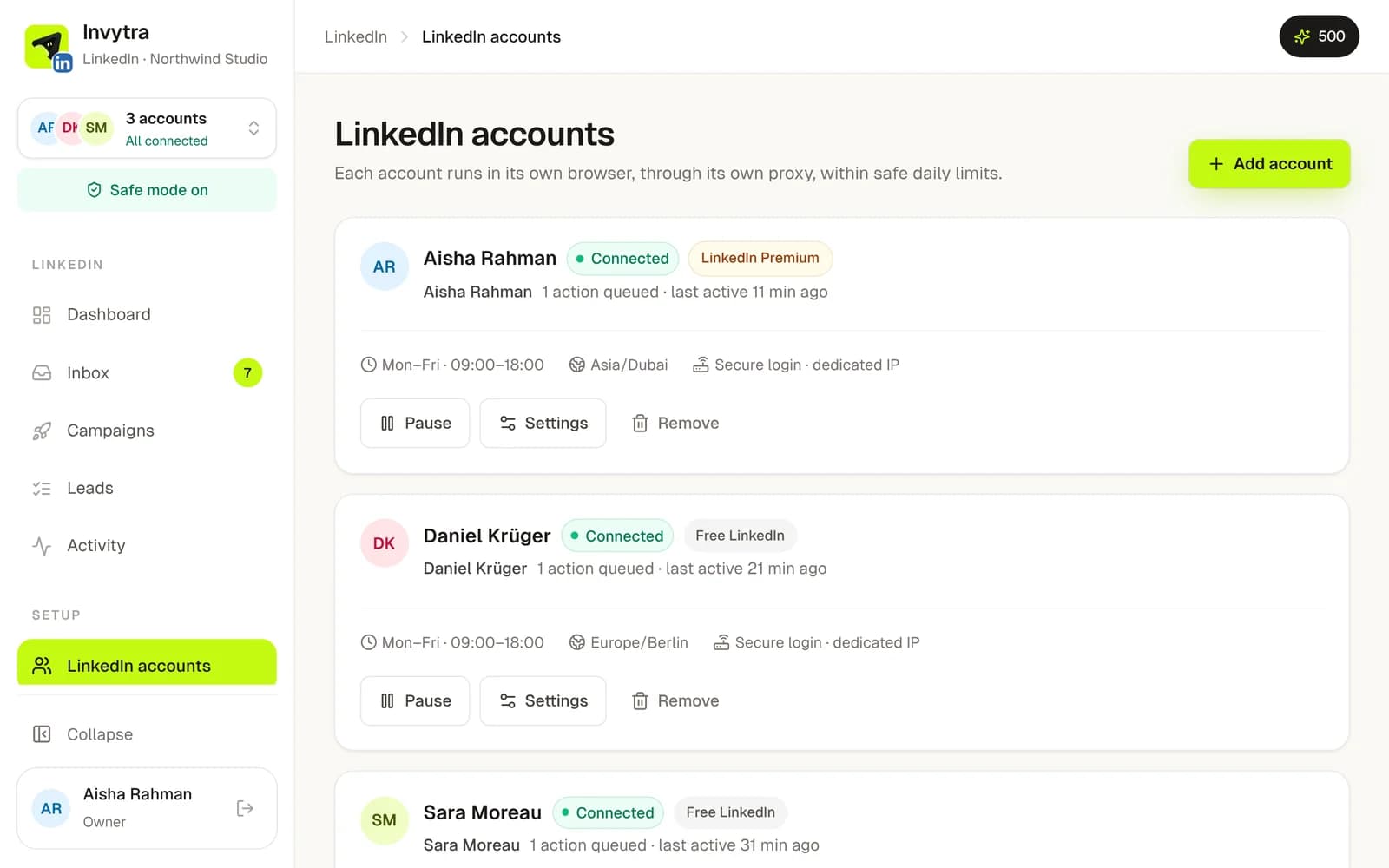
- 1In LinkedIn, open LinkedIn accounts and click Add account.
- 2Enter the email you log in to LinkedIn with. Invytra checks it isn't already connected.
- 3Give the account a name only you see (e.g. “Aisha – sales”) and pick its time zone: actions only run in its working hours there.
- 4Log in to LinkedIn in the Secure login window, including the code LinkedIn sends you. Invytra never sees or stores your password.
- 5The account shows Connected. It's ready for campaigns.
Staying safe
- Each account runs on its own, with its own internet address, never shared with another account.
- Daily limits are set for you: about 20 invites, 50 messages and 80 profile visits a day, and 150 invites a week. New accounts start lower and warm up.
- Actions run only in working hours (Mon–Fri 09:00–18:00 by default), with random gaps like a real person.
- If LinkedIn shows a security check or a warning, Invytra stops that account at once and marks it Needs attention. Open it, click Check, and log in again if asked.
Change an account's working hours and limits under Settings on its card. Raising limits fast is the most common reason LinkedIn restricts an account.
Was this page helpful?