
Menu

Send a WhatsApp campaign
An approved template to a tag or segment, personalised for each person.
1 min read 5 steps
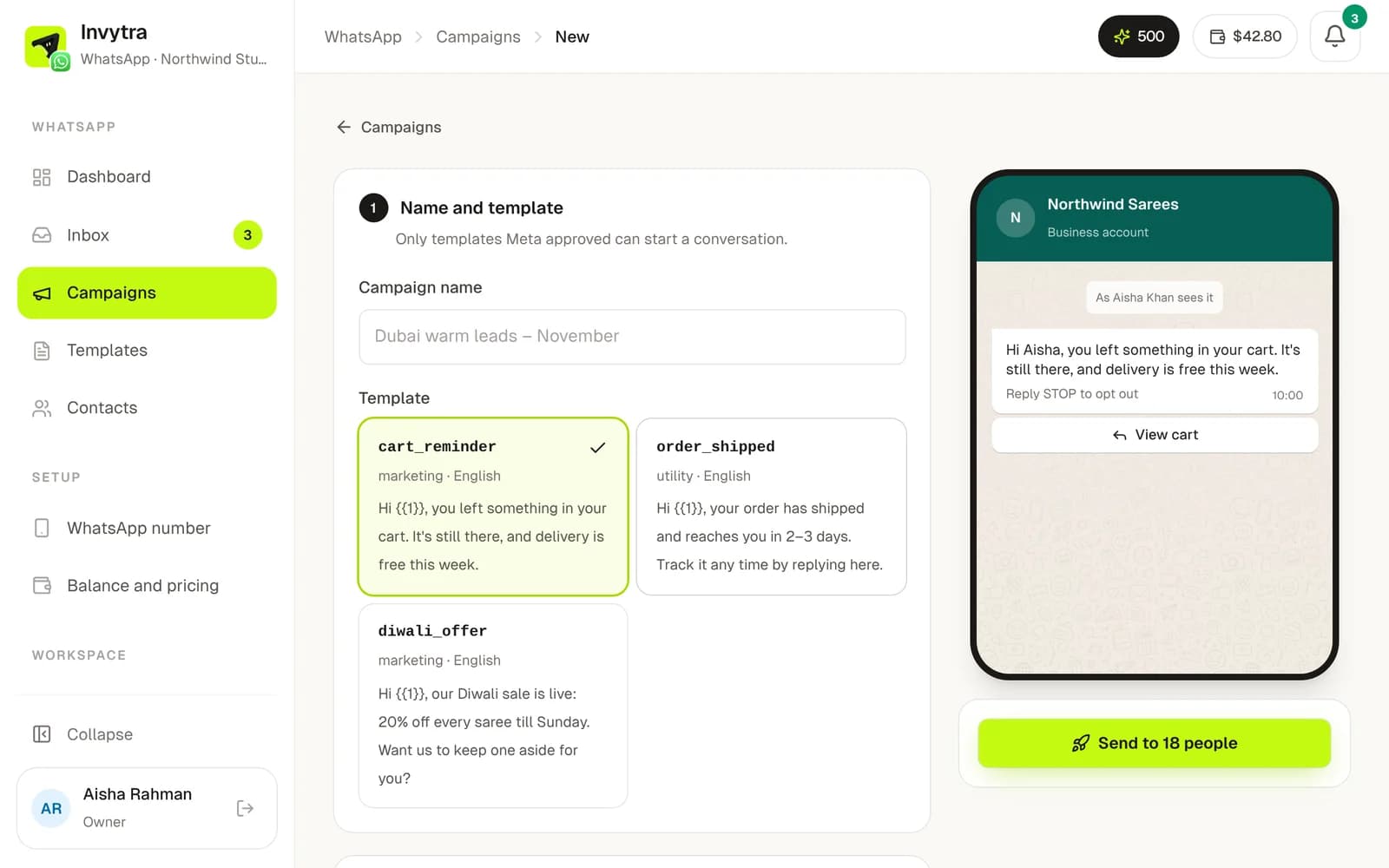
- 1Open Campaigns → New campaign and name it.
- 2Choose an approved template. The phone on the right shows how it looks.
- 3Choose who gets it: everyone subscribed, some tags, or a segment. You see how many people and about what it costs from your balance.
- 4Personalise: pick what fills each variable (first name, city, a custom column…) and a fallback for people who don't have it.
- 5Send now or schedule it.
- Opted-out numbers, people without consent and your do-not-contact list are always left out.
- Invytra sends in batches within your number's daily limit; the rest go out the next day.
- The campaign page shows sent, delivered, read, replied and failed, person by person. A report arrives by email and in the bell 3 hours after it starts.
- Replies land in the inbox.
Was this page helpful?