
Menu

The WhatsApp inbox
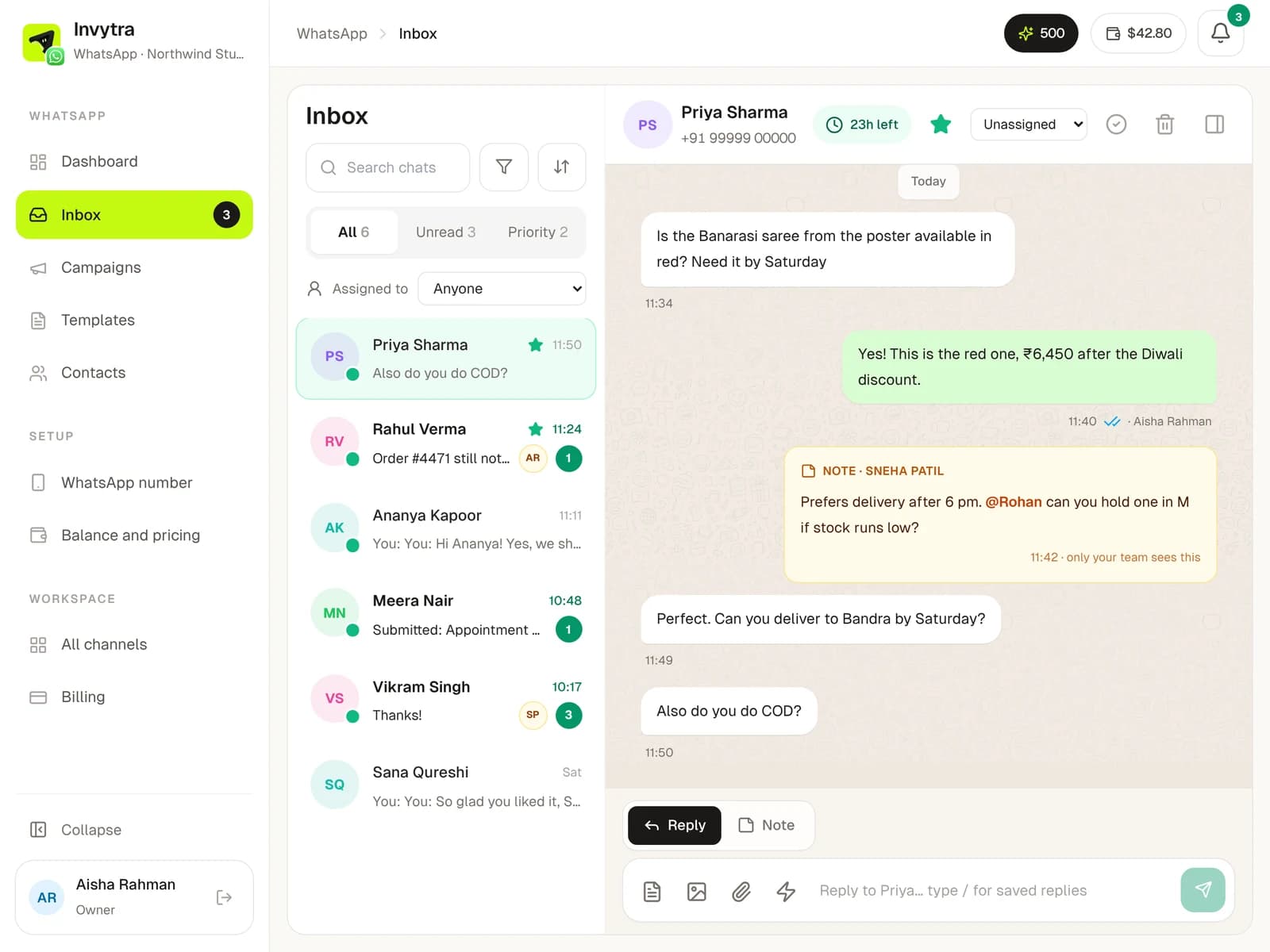
Chat with customers as a team: notes, @mentions, assigning, quick replies.
1 min read
The 24-hour window
After someone writes to you, you can reply freely (text, photos, files) for 24 hours; the chat header shows the time left. After that, only an approved template can be sent until they write again. The reply box switches to Send template by itself.
Working as a team
- Assign a chat to a teammate; they get a notification.
- Write a Note (only your team sees it). Type
@and a name to mention someone; they get a notification. - Star important chats, mark done when handled, filter by campaign, tag, window, read or reply status.
- Saved replies: type
/in the reply box to insert answers you use often (e.g. /cod).
Never miss a message
- A soft sound plays when a message comes in, on any WhatsApp page (turn it off in the bell's settings).
- The browser tab shows how many chats are unread, so you can see it from another tab.
- The bell collects mentions, assigned chats, campaign reports and template reviews.
Was this page helpful?