
Menu
Message templates
Write a template, add samples, get it approved by Meta.
1 min read 5 steps
To message someone first (or more than 24 hours after their last message), WhatsApp requires a template approved by Meta.
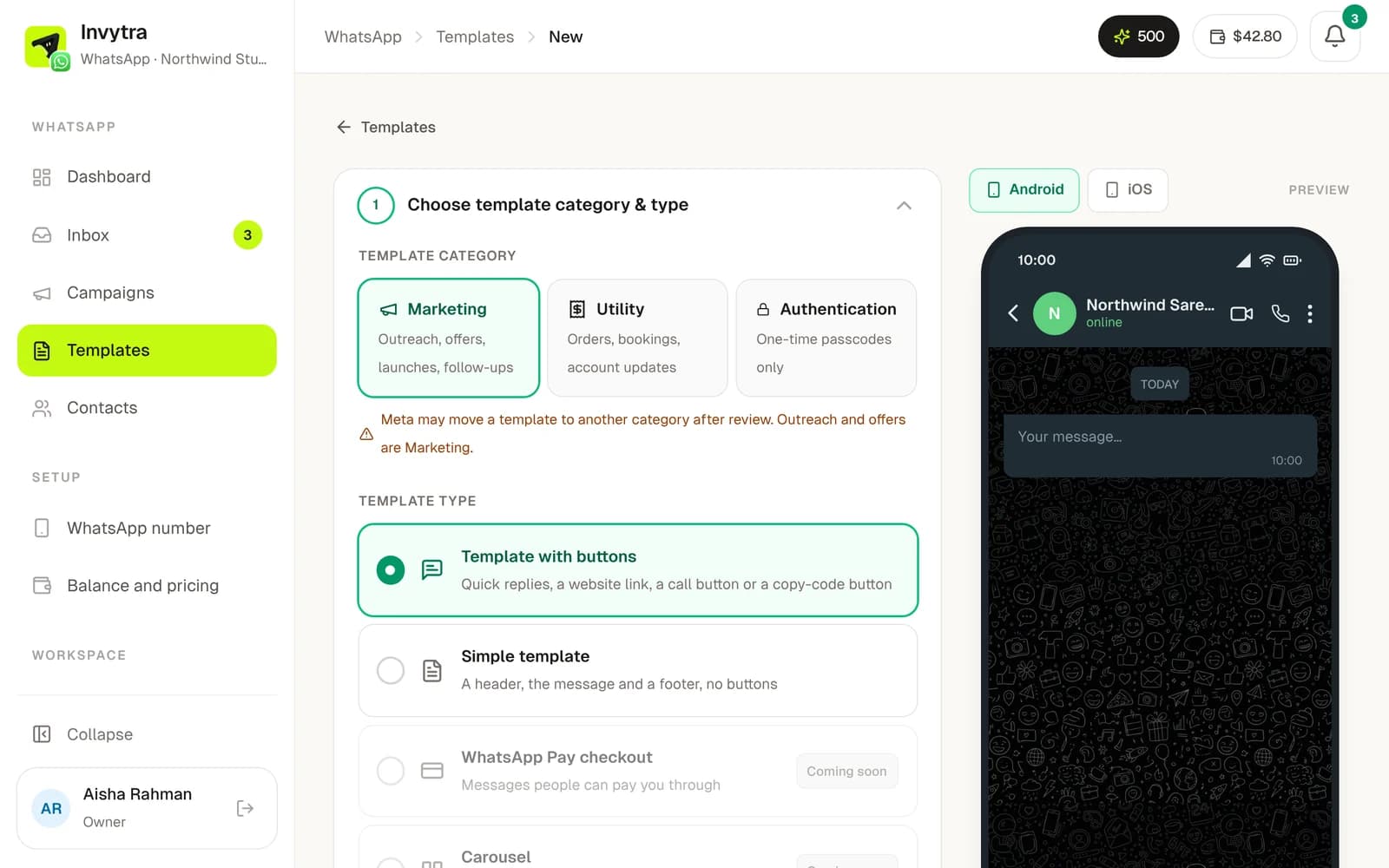
- 1Open Templates → New template.
- 2Pick the category: Marketing (offers, news), Utility (orders, appointments, account updates) or Authentication (one-time codes). Then pick the type, e.g. with buttons.
- 3Write it: an optional header (text, image, video or document), the body with variables like
{{1}}for the first name, a footer (e.g. “Reply STOP to opt out”) and buttons. - 4Click Submit to Meta. Invytra asks for a sample value for each variable (e.g. Priya). Meta uses them to review.
- 5Approval usually takes minutes. You get an email and a bell notification when it's approved or rejected (with the reason).
Get approved first time
- Don't start or end the body with a variable, and put words between variables.
- Write the message as you'd send it to one customer, with your business name. A template that's mostly a variable (“Hi {{1}}”) is often held or rejected.
- Pick the right category: anything promotional is Marketing.
Was this page helpful?